
NetSuite Saved Searches, Reports, and Analytics Workbooks can give us similar results, but they serve different purposes. A question I often encounter is: “Should we build this as a Saved Search, Report, or Workbook?” My answer is: What are you trying to do with the information?
These three tools aren’t competitors. The key is understanding their strengths and choosing the right tool for the business need.
Saved Search: Find the Records You Need
Saved Search is probably the tool I use most in NetSuite. I think of it as:
“Show me the records that meet these conditions.”
For example:
- Which vendor bills have been waiting for approval for more than five days?
- Which sales orders have inventory shortages?
- Which customers have overdue balances?
Results can be placed on dashboards, used for reminders and scheduled emails, highlighted based on conditions, and used to support workflows and scripts.
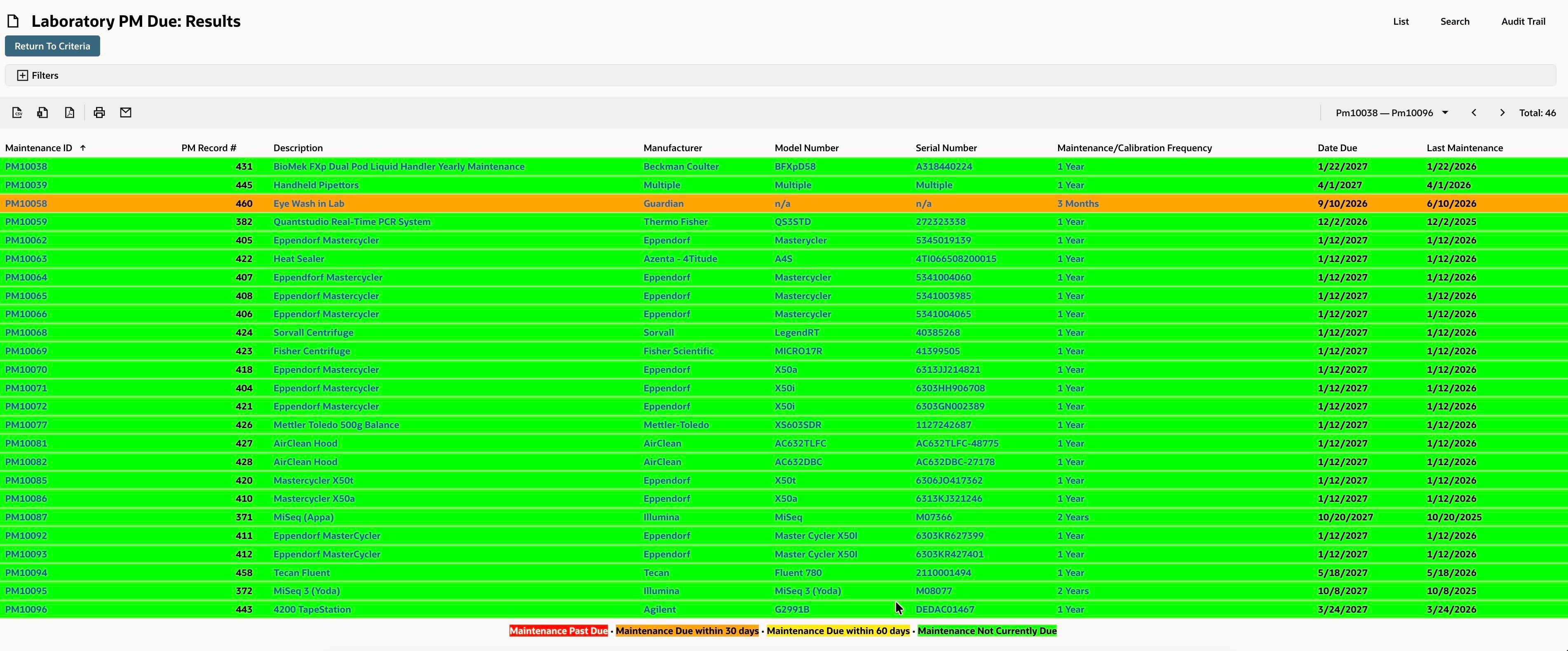
Saved Searches are also flexible. With formulas, summary functions and joins, we can solve some surprisingly complicated requirements.
But there are limitations. A Saved Search is built around a specific record type and the joins NetSuite makes available from that record. When the analysis requires more complex relationships between different types of data, we may start fighting with the search instead of solving the business problem. That's a sign to consider using a Workbook.
Reports: Understand the Financial Story
Reports answer a different question. If Saved Search asks “Which records meet my criteria?”, reports are more about: “What do these transactions mean financially?”
Think about the Income Statement, Balance Sheet, Trial Balance, A/R Aging, A/P Aging, or Budget vs. Actual.
Reports understand NetSuite's accounting structure in a way that a Saved Search does not naturally replicate. The report engine naturally reflects the accounting periods, posting transactions, account hierarchy, financial layouts, subtotals and consolidated reporting.
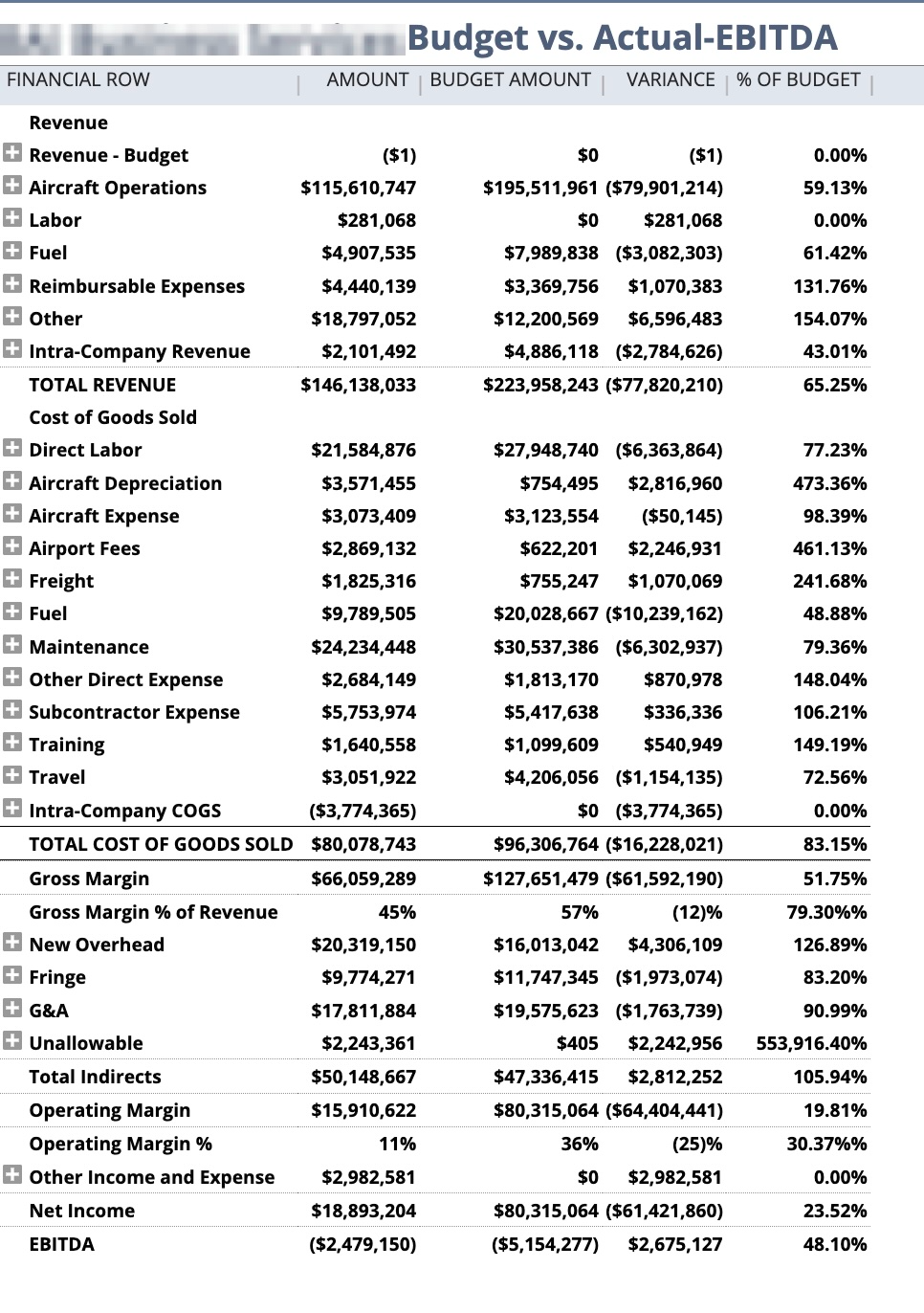
Could we recreate some of this through a Saved Search? Yes. Should we? Not always. If, for example, the CFO asks, “What was our operating income last quarter compared with budget?”, I would start with a Report.
Reports are especially strong when the format and accounting structure are as important as the underlying data. Reports also give Finance users familiarity: an Income Statement should look like an Income Statement.
The trade-off is flexibility. Standard reports can be customized, but sometimes you reach a point where the report engine simply isn't designed to present the data the way you want. That's when we need to reconsider the requirement instead of continuing to force the report.
Analytics Workbook and Dataset: Explore the Data
Analytics Workbook is where I go when the need becomes more analytical or the reporting requires multiple data sources. I think of it as: “Let me explore this data from different angles and understand the relationships and patterns behind it.”
A Workbook starts with a Dataset, which defines the data, joins, criteria and formulas. The Workbook then lets us analyze that data through tables, pivots and charts.
This separation is useful. Instead of immediately deciding what the final report should look like, you can first build a reusable data foundation and then analyze it from different perspectives.
For example, one sales Dataset could allow us to look at:
- Sales by customer,
- Sales by item,
- Sales by region,
- Sales by month,
- Or sales by region, customer and item together.
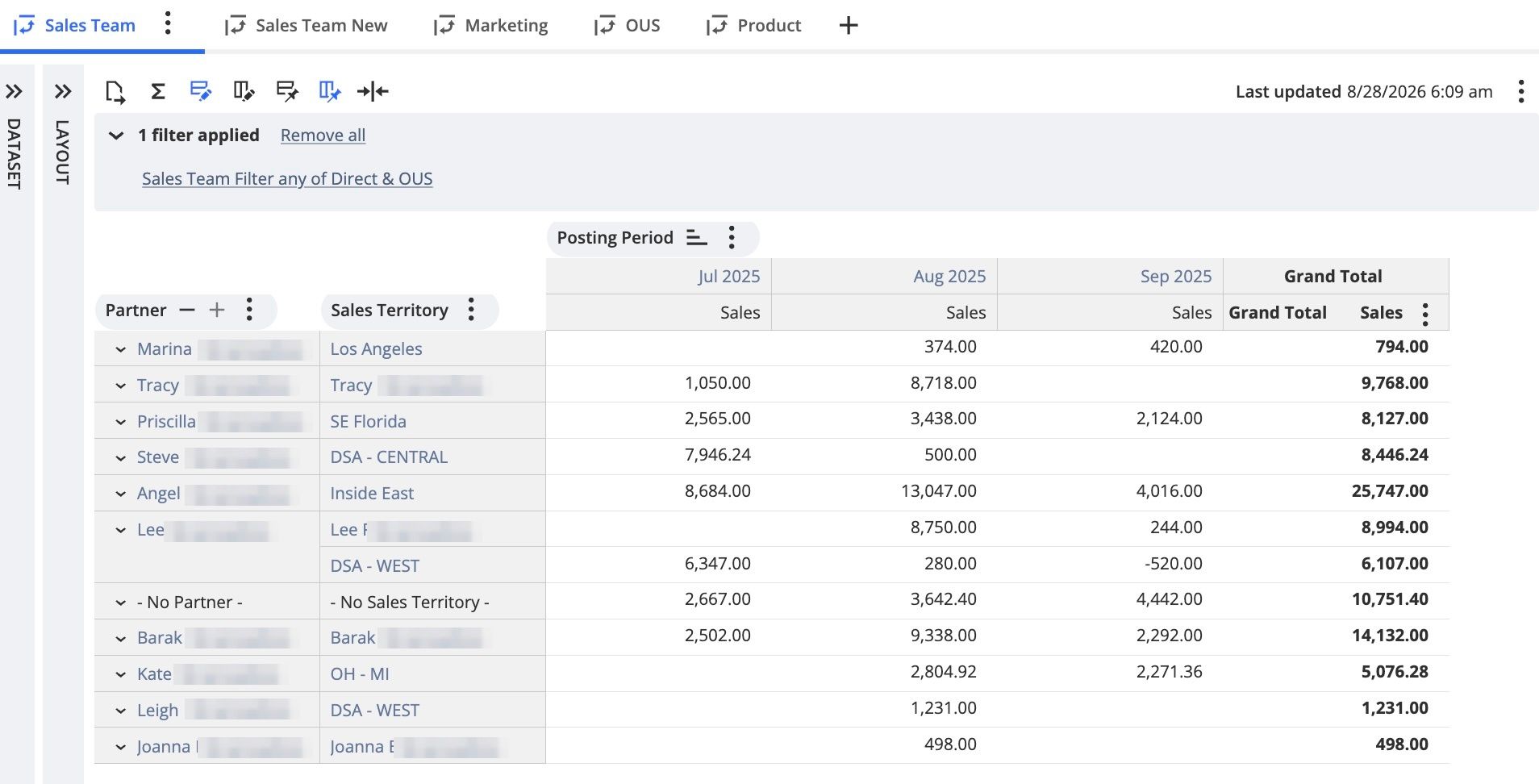
This is one of the biggest differences between Saved Search and Workbook. A Saved Search is very good at finding records. A Dataset gives us more flexibility to work with relationships between records and build a reusable data source for analysis.
Workbooks also have their own learning curve and limitations. Not every Saved Search can simply be rebuilt as a Workbook. Formulas work differently, and Workbook isn't the best choice for operational alerts or traditional financial statements.
Again, the requirement should determine the tool.
Same Data, Three Different Questions
Let's use inventory as an example.
“Which items are below the reorder point today?”
→ Saved Search. I need a list to act on.
“What was our inventory value at month end?”
→ Report. I need a financial view.
“How has inventory changed by location, item category and month?”
→ Analytics Workbook. I need to analyze a trend.
Same NetSuite. Same inventory data. Three different questions, and three different tools. Take the time to understand the business question behind the request and then choose the NetSuite tool that answers it most effectively.
Permissions and Sharing
Each of these three tools controls access differently.
Saved Search sharing uses the Public box and the Audience subtab. Both appear only for users whose role has at least Create on the Publish Search permission. Any user can run and view a public search, but only the owner and administrators can edit it, unless you check Allow Audience to Edit on the Audience subtab. If a search contains sensitive data, name specific roles or employees on the Audience subtab instead of making it public.
Workbooks and datasets stay with the person who created them until they are shared. You can share them with named users or with roles. A recipient can view a shared workbook but cannot edit it without saving a copy. What the recipient sees inside it still depends on their own role permissions. Exporting a dataset to CSV requires the Export Lists permission at Create level or higher. Oracle's documentation for rebuilding a saved search as a workbook gives a useful example. Users on the Sales role cannot access the account record type, so a workbook that works for an administrator can return incomplete results for the users it was built for. Test the workbook under the recipient's role before you share it. Managing workbooks owned by other users requires the Analytics Administrator permission, which also allows deleting them. Deleted workbooks and datasets cannot be recovered, so assign that permission to a small number of people.
Financial Reports require two permissions to customize: Financial Statements and Report Customization.
A Simple Functional Comparison
| Saved Search | Report | Analytics Workbook | |
|---|---|---|---|
| Primary question | Which records need my attention? | What is the financial/business result? | What can I learn from this data? |
| Best for | Operational work | Structured reporting | Analysis |
| Typical users | Operations, Finance, Admins, Managers | Finance, Accounting, Management | Analysts, Finance, Operations, Management |
| Data approach | Record/transaction focused | Report/accounting focused | Dataset/analytical focused |
| Day-to-day monitoring | Excellent | Limited | Good |
| Financial Statements | Limited | Excellent | Limited |
| Exception identification | Excellent | Limited | Good |
| Pivot/multi-dimensional analysis | Limited | Good | Excellent |
| Dashboard/action-oriented use | Excellent | Good | Good |
| Scheduled Alerts | Excellent | Moderate | Limited |
| Exploratory Analysis | Moderate | Limited | Excellent |
| Ease for basic requirements | Excellent | Good | Good |
| Flexibility for complex analysis | Excellent | Good | Excellent |
Other NetSuite Reporting Options
When you need to access NetSuite data for business logic or outside the UI, you can write SuiteQL. You can run it through SuiteAnalytics Connect, directly in the N/query module in SuiteScript, and with REST web services.
SuiteAnalytics Connect is a licensed feature that gives read access to NetSuite data through ODBC, JDBC, and ADO.NET drivers so you can query it from outside tools. It reads the NetSuite2.com data source, which is the same analytics data source Workbook uses.
NetSuite Analytics Warehouse is a separate service. It copies your NetSuite data into Oracle Autonomous Data Warehouse and reports on it through Oracle Analytics Cloud, with prebuilt KPIs and dashboards included. Use it for combining NetSuite data with data from other systems.
Final Thoughts
Good reporting is about reducing the amount of work users have to do to understand what is happening in the business.
A good Saved Search can tell someone where they need to act.
A good Report can tell management where the business stands.
A good Workbook can help a team understand why something is happening and where to investigate further.
When we deploy these tools properly, users spend less time exporting NetSuite data into Excel, manually combining spreadsheets, searching transaction by transaction, or asking someone else to pull information for them.
More importantly, the data stays in the system. Give the right information to the right user, in the right format, so they can make the right decision.
Further Reading
Open Sales Orders Lines: https://docs.oracle.com/en/cloud/saas/netsuite/ns-online-help/section_1548363056.html
Financial Report Builder More Options Page: https://docs.oracle.com/en/cloud/saas/netsuite/ns-online-help/section_N2110228.html
SuiteAnalytics release notes, 2026.1: https://docs.oracle.com/en/cloud/saas/netsuite/ns-online-help/section_N3949039.html
Optimize Search and Performance Reporting: https://docs.oracle.com/en/cloud/saas/netsuite/ns-online-help/subsect_12113338955.html
Permissions for Searches: https://docs.oracle.com/en/cloud/saas/netsuite/ns-online-help/section_N664557.html